Xeno BloxStrike Scripts (UPD 2026) are designed for players who want a stronger and more controlled experience in the fast-paced Roblox FPS game BloxStrike.
Built for intense 5v5 combat, these scripts offer advanced features like Ragebot, Kill All, BS Aimbot, ESP, Skinchanger, and more, helping players improve aim, track enemies, and customize gameplay with ease.
With a clean interface, smooth performance, and support for both PC and mobile executors, Xeno BloxStrike scripts are updated to work reliably with the latest game version, making them a popular choice for players looking to dominate matches and enjoy enhanced gameplay.
All BloxStrike Scripts UPD 2026 For Xeno Executor
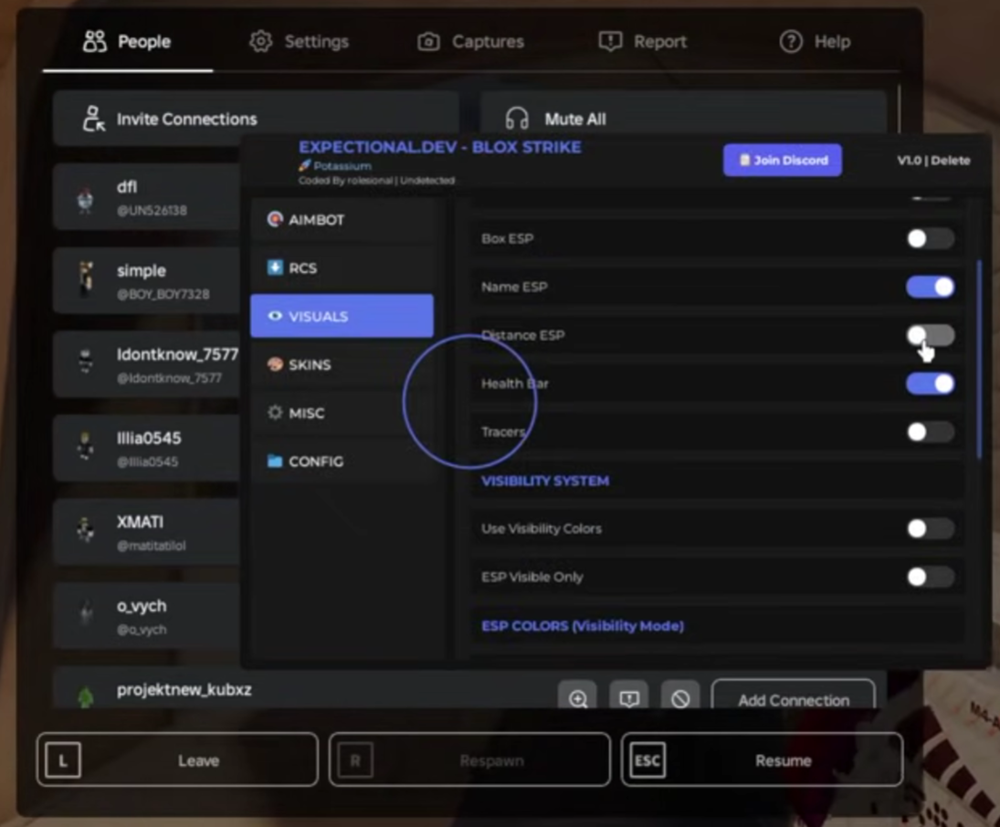
Expectional BS Aimbot ESP Visuals Skinchanger
loadstring(game:HttpGet("https://expectional.dev/loadstring/Blox-Strike.lua"))()EzyCheat | Blox Strike Script (KEY ON DISCORD)
loadstring(game:HttpGet("https://raw.githubusercontent.com/ljashub/bloxstrike-beta/refs/heads/main/main"))()Blox Strike script – ESP, Skin Changer
loadstring(game:HttpGet('https://raw.githubusercontent.com/Zylang104/BloxStrike/refs/heads/main/main.lua'))() Expectional Blox Strike Skinchanger
loadstring(game:HttpGet("https://expectional.dev/loadstring/Blox-Strike-Skinchanger.lua"))()Script BloxStrike PC & Mobile – LegitBot, RageBot, Aimbot, ESP, and More
-- Don't work on xeno/solara
getgenv().skipload = true
getgenv().AUTOLOAD = nil -- only if the key is valid / Example : nil -> "Flick"
loadstring(game:HttpGet("https://pandadevelopment.net/virtual/file/f46a7eb5a71f1048"))()

--[[
    Game list for the autoload
    - getgenv().AUTOLOAD = "Counter Blox"
    - getgenv().AUTOLOAD = "BloxStrike"
    - getgenv().AUTOLOAD = "Prison Life"
    - getgenv().AUTOLOAD = "Case Opening Simulator"
    - getgenv().AUTOLOAD = "Frontlines"
    - getgenv().AUTOLOAD = "Sniper Duels"
    - getgenv().AUTOLOAD = "Flick"
]]
BloxStrike Script Gui Keyless Hub
loadstring(game:HttpGet("https://raw.githubusercontent.com/MYLFHUB/CENESENSEPremium/main/mylfhubpc.lua"))()Op Pastebin BloxStrike Script Hack
loadstring(game:HttpGet('https://raw.githubusercontent.com/CrepScripts/CrepScripts/refs/heads/main/New%20Aimbot%20Most%20in%20most%20games%20OP'))()Best BloxStrike Script 2026
loadstring(game:HttpGet("https://raw.githubusercontent.com/localtime/tichoucko/refs/heads/main/unv.lua"))()BloxStrike Script – Aimlock, ESP, and More
loadstring(game:HttpGet("https://raw.githubusercontent.com/Nickk-GG/BloxStrike-NickHub/refs/heads/main/101.lua"))()How To Run The BloxStrike Scripts Using Xeno Executor?
To run the BloxStrike Script on PC, Xeno Executor is the best choice. It works best on Windows 11, 10, or 7 (64-bit) PCs.
Follow the steps below to run Roblox scripts using Xeno.
Step 1. Click this Official Link to download Roblox on your PC, then find and run the RobloxPlayerInstaller to install Roblox.

Step 2. Once installed, open the Roblox app and create an account. (If you already have an account, then enter the login credentials.)
Step 3. Search for the BloxStrike game and click the Play Button.
Step 4. Download the Xeno Executer zip file and extract it.
Step 5. Launch the Xeno.exe file, and it will show you a clean user interface. Here you will see different options.

Step 6. Press the Attach button to link Xeno with the game client. (As shown in the image below.)

Step 7. Now, copy and paste the working Roblox script and press the Execute button.

Once you execute the script, it will start running through the Roblox game, showing you customization options.